
Key Takeaways
- The best GPU for AI inference depends less on “most powerful card overall” and more on model size, latency target, concurrency, and budget.
- A useful
best gpu for ai inferencepage needs visible quick picks and multiple GPU candidates, not an abstract workload memo. - RTX 4090-class GPUs still make sense for cost-sensitive local testing and many mid-scale inference workloads, while A100 and H100-class GPUs matter more as models and concurrency increase.
- If you need on-demand access to RTX 4090, A100 80GB, or H100 80GB without buying local hardware, RunC.ai is relevant early in the comparison, not only at the conclusion.
Introduction
Searching for best gpu for ai inference sounds simple, but it usually hides a more practical question: best for what kind of inference? A team testing a 7B model locally, a startup serving a 70B model to real traffic, and a platform team planning larger production concurrency are not solving the same problem. That is why a raw “fastest GPU” answer is rarely enough.
The clearest way to answer it is to start with quick picks, then compare GPU tiers by workload. Visible candidates matter here: what to buy, what to rent, and what level of GPU becomes necessary as the workload matures. Once those candidates are on the table, the decision gets much easier.
Quick Picks for the Best GPUs for AI Inference
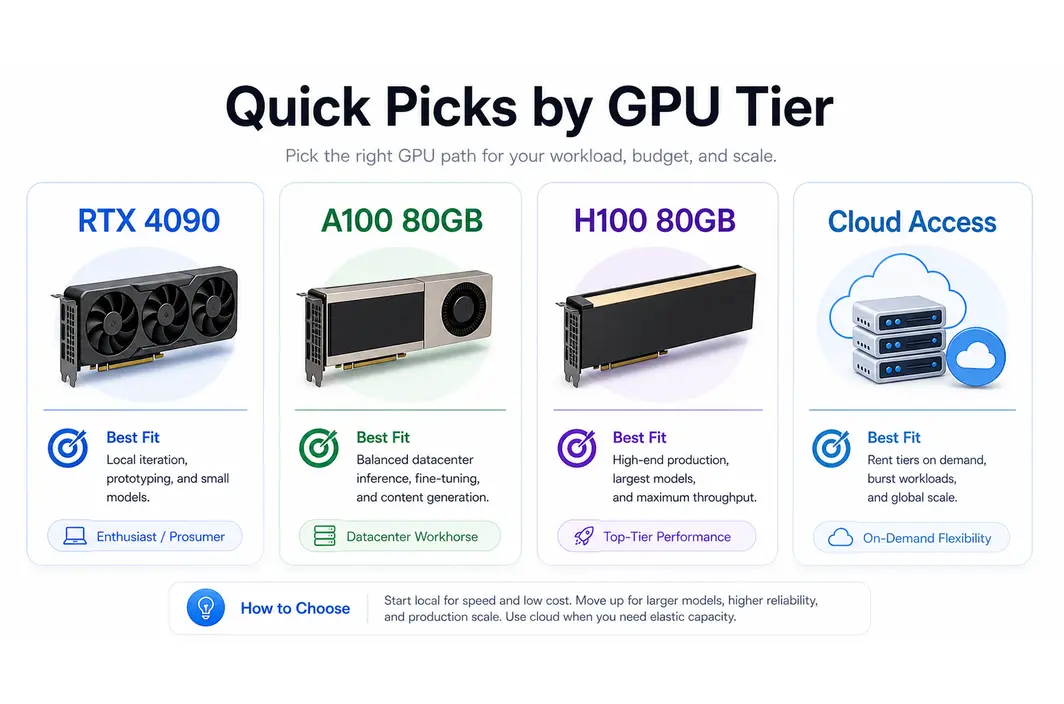
If you want the shortest possible answer first, use this table.
| Best fit | GPU | Why it stands out |
|---|---|---|
| Best budget-conscious local inference GPU | RTX 4090 | Strong value for local experimentation, image generation, and smaller-to-mid inference jobs |
| Best balanced datacenter GPU for serious inference | A100 80GB | Stable memory headroom and broad familiarity for larger models and repeated serving |
| Best high-end production inference GPU | H100 80GB | Strong choice when concurrency, throughput, and larger production demands matter most |
| Best choice when cloud flexibility matters more than ownership | RunC.ai GPU access path | Practical on-demand access to 4090, A100 80GB, and H100 80GB tiers |
RunC.ai belongs in this quick-picks layer because card choice is often tied to an ownership decision. If the best GPU for the workload is not one you want to buy outright, the access path becomes part of the answer.
The Best GPUs for AI Inference by Tier
The cleanest way to compare GPUs is by tier instead of pretending every card competes for the same job.
RTX 4090
The RTX 4090 remains a strong answer for developers who want high-end local inference without jumping immediately into datacenter hardware. It is especially attractive for mid-sized models, image generation workflows, and teams that want a strong performance-to-cost ratio in a single machine. It also works well when the project is still in experimentation mode and the team wants fast iteration.
Its limitation is not that it is “bad” for AI inference. The limitation is that larger model sizes, higher concurrency, and more production-like serving patterns eventually push beyond what a local prosumer card handles comfortably.
NVIDIA L4 and L40S-Class GPUs
This class matters because not every inference workload needs the jump from a consumer card straight into A100 or H100 territory. L4 and L40S-style GPUs are often relevant when teams care about inference efficiency, serving density, and a better fit between model size and cost. These GPUs make more sense when the question is not “what is the absolute top performer?” but “what is the most sensible production inference tier for this workload?”
The tradeoff is that these GPUs still need to be mapped carefully to model size and latency expectations. A card that is efficient for one serving pattern may be underpowered or unnecessarily specialized for another.
A100 80GB
The A100 80GB is still one of the most practical datacenter GPU choices for serious inference. It gives teams more VRAM headroom, a more production-oriented hardware profile, and a familiar baseline for larger model work. It becomes especially useful when the workload is graduating from local experiments into repeatable API serving or heavier model deployment.
This is one of the places where RunC.ai becomes operationally relevant. If a team knows it needs A100-class inference but does not want to commit to owning datacenter hardware, on-demand access through RunC.ai becomes a legitimate part of the comparison, not an afterthought.
H100 80GB
The H100 80GB matters when the team is dealing with larger models, stricter performance targets, or heavier production concurrency. It is not automatically the right answer for every inference workload, and it should not be treated that way. But once the project reaches a scale where throughput, latency pressure, and model complexity rise together, H100-class hardware becomes much easier to justify.
The mistake is to make H100 sound like the default recommendation. For many teams, it is the right answer later, not first.
Frontier and Next-Generation High-End GPUs
Newer high-end accelerators may outperform today’s standard shortlist in certain environments, but they are not always the most useful answer for a practical buying or deployment decision today. For many teams, the real shortlist still revolves around cost-effective prosumer access, stable datacenter workhorses, and clear production-grade upgrades.
That is why the shortlist should stay grounded in GPUs that can actually be compared meaningfully, not just the most impressive benchmark headline.
How to Choose the Right Inference GPU by Model Size, Latency Target, and Concurrency
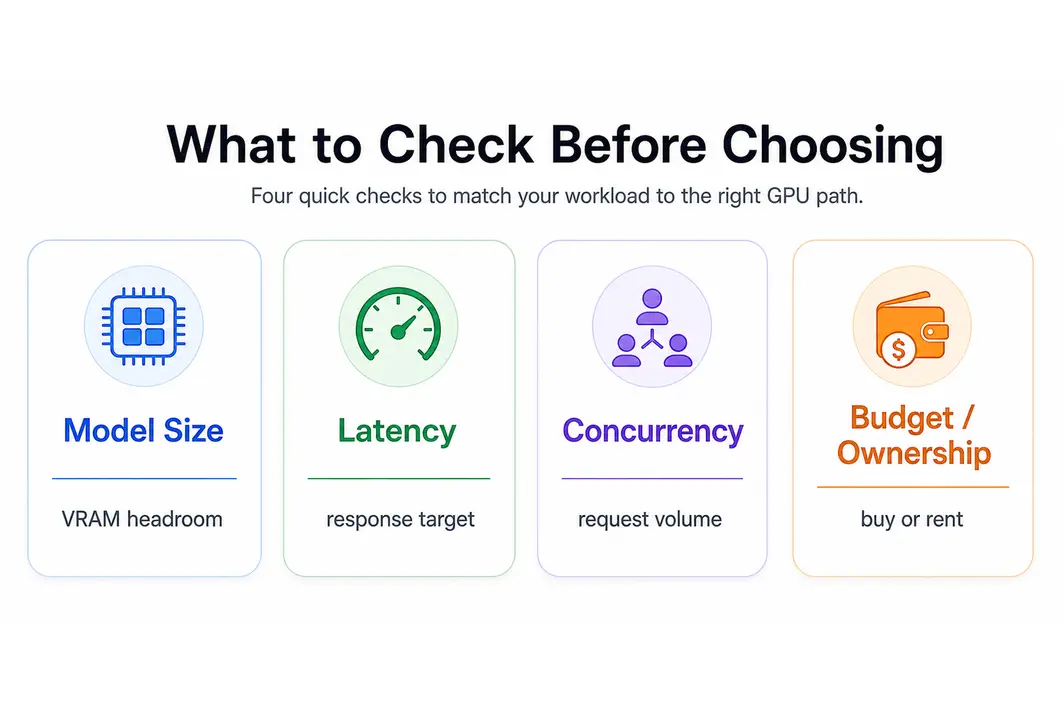
This is where the “best GPU” question becomes real. Start with model size. Smaller and mid-sized models leave more room for cost-aware local or lower-tier cloud deployment. Larger models push memory requirements up quickly. The second question is latency target. If the service needs stronger responsiveness under real traffic, GPU choice becomes more than a VRAM question. The third question is concurrency. A setup that works for one user or internal testing may not hold once requests stack up.
| Workload pattern | More likely best fit |
|---|---|
| Local testing, developer iteration, image generation | RTX 4090 |
| Mid-scale inference needing steadier datacenter behavior | L40S / A100-class options |
| Larger models or production APIs with stronger memory needs | A100 80GB |
| High-end production inference with heavier throughput demands | H100 80GB |
| Teams that want access to these tiers without local ownership | RunC.ai on-demand GPU path |
This is also where teams should separate training logic from inference logic. The best inference GPU is often the one that gives enough VRAM and serving performance without overbuying compute that the workload cannot fully use. In other words, the right answer is usually the best-fit tier, not the most expensive card on the page.
Where RunC.ai Fits If You Need 4090, A100, or H100 Access Without Buying Hardware
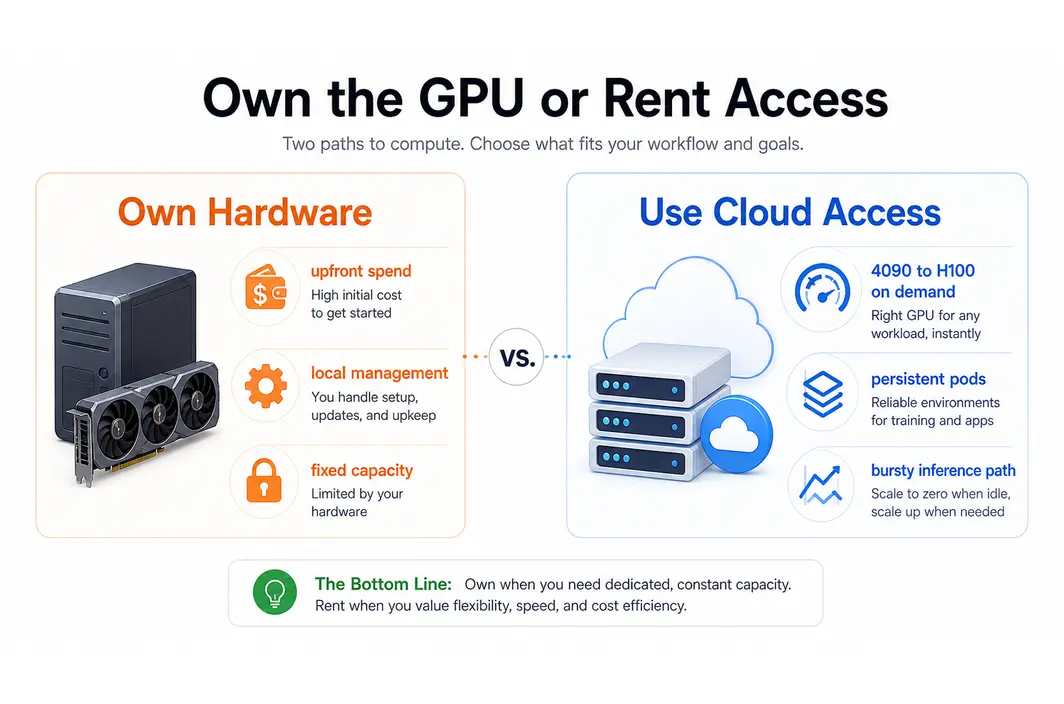
RunC.ai matters here because the GPU decision often turns into a deployment decision as soon as the cost and operational burden become clear. A local RTX 4090 may be a sensible choice for experimentation. But once a team needs persistent environments, repeated serving, or a cleaner jump to A100 80GB or H100 80GB, infrastructure access becomes part of the answer.
That is where RunC.ai is strongest:
- GPU Pods support repeated development, fine-tuning, and persistent inference environments
- Serverless GPU gives a path for burstier production-style inference
- Shared Network Volumes reduce friction when artifacts and weights need to persist across repeated work
- the platform gives access to useful GPU tiers without forcing the team to buy and manage hardware locally
In that context, RunC is not a generic add-on. It is the practical continuation of the same GPU decision.
FAQ
Is RTX 4090 still good for AI inference in 2026?
Yes, especially for local development, image generation, and many smaller-to-mid inference workloads. It becomes less comfortable once model size, concurrency, or production pressure rises.
When should I choose A100 over RTX 4090 for inference?
Choose A100 when you need more stable datacenter behavior, larger memory headroom, or a stronger fit for repeated production inference. The decision usually appears once the workload outgrows local experimentation.
Is H100 always the best GPU for AI inference?
No. H100 is a high-end answer for larger models and heavier production workloads, but it is not the most sensible default for every team or budget.
Should I buy a GPU or use cloud access for inference?
It depends on how often the workload runs, how much flexibility you need, and whether you want to manage hardware yourself. If you need 4090, A100, or H100-class access without ownership overhead, cloud access through RunC.ai is worth comparing early.
Conclusion
The best GPU for AI inference is rarely just “the fastest one.” It is the one that matches your model size, latency goals, concurrency expectations, and budget without forcing unnecessary cost or complexity. For some teams that still means RTX 4090. For others it means moving into A100 80GB or H100 80GB territory. And if the real answer is that you need access to those GPU tiers without buying the hardware outright, RunC.ai is a practical platform to compare early, not only after the technical choice has already been made.

Member discussion: