
Key Takeaways
- Pick the model before renting hardware. GPT-OSS 20B and 120B have very different memory and deployment profiles.
- The published MXFP4 memory figures are a starting point, not a capacity guarantee: runtime, precision, context length, KV cache, and concurrency all consume headroom.
- A cloud GPU is most useful when local VRAM or runtime support is insufficient, or when a repeatable server matters more than a one-off local experiment.
- A first deployment should include a small API test and a deliberate shutdown plan, not just a successful model download.
Introduction
To run GPT-OSS on a cloud GPU, first choose the model, then choose a GPU and runtime that support the precision and workload you need. The practical path is straightforward: provision compatible compute, keep the model cache in the right place, start a server, send one test request, and shut the instance down correctly when the test is done.
The important distinction is that loading the weights is not the same as operating an inference service. A configuration that barely loads a model may leave little room for a longer context window, multiple requests, or a different precision mode. Start with the smallest deployment that can prove the workload, then measure before scaling it.
Which GPT-OSS model are you trying to run?
OpenAI publishes two open-weight GPT-OSS models: gpt-oss-20b and gpt-oss-120b. They are not interchangeable deployment targets; both need memory planning for weights and serving traffic.
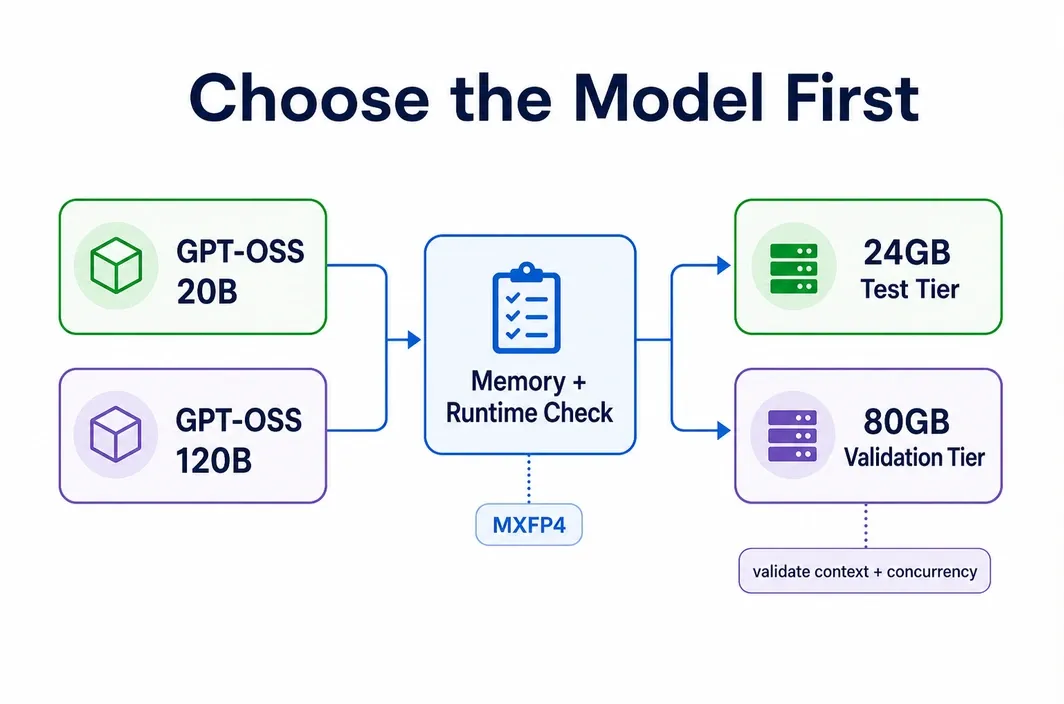
OpenAI’s release material says 20B can run in 16GB of memory and 120B can run within 80GB when using MXFP4. Its current Transformers guide is more operational: it lists roughly 16GB VRAM for 20B with MXFP4 and at least 60GB VRAM or a multi-GPU setup for 120B. Treat both as documented starting points, not as a promise about every runtime or request shape.
| Your first goal | Start with | Next question to answer |
|---|---|---|
| Test prompts, tool calling, or a small self-hosted experiment | GPT-OSS 20B | Does the chosen GPU/runtime support the precision you plan to use, with room for the intended context? |
| Run a larger model because the task justifies its cost and memory demand | GPT-OSS 120B | Can the selected 80GB-class route support the runtime, context, and concurrency you need? |
| Increase throughput after a working baseline | The model already validated in a smoke test | Is a better runtime configuration or tensor parallelism justified by measured demand? |
Use 20B when it answers the product or evaluation need. Move to 120B because the workload requires it, not because it sounds like the default serious option. The official GPT-OSS release and Transformers guide should be checked again when choosing a specific runtime version.
GPU requirements for GPT-OSS 20B and 120B
GPU selection has two layers: whether the weights can load and whether the server can operate with useful headroom. The second layer changes with precision, runtime, maximum model length, KV cache, batch size, and simultaneous requests. A model that loads successfully can still fail under a larger request or become too constrained for the way you plan to use it.
| Model and deployment target | Starting GPU direction | What must be validated | Avoid this conclusion |
|---|---|---|---|
| 20B, first test | A compatible GPU with enough VRAM for the selected precision; 24GB-class hardware can be a reasonable investigation tier. | MXFP4 or alternative precision support, runtime compatibility, and the intended context/concurrency. | “Every 24GB GPU will run 20B the same way.” |
| 20B, larger context or repeated service use | Select for measured memory headroom, not just weight fit. | KV-cache use, batching, uptime, and any performance target. | “16GB is the complete deployment requirement.” |
| 120B, one replica | Start by evaluating an 80GB-class GPU. | The current runtime, selected precision, and workload headroom. | “Any 80GB GPU provides identical support or speed.” |
| 120B, more throughput | Consider a validated optimized runtime or multi-GPU tensor parallelism after a baseline works. | Actual demand, inter-GPU configuration, cost, and measured behavior. | “More GPUs always lower cost per result.” |
MXFP4 is central to the published memory numbers. OpenAI’s Transformers documentation says MXFP4 is supported on Hopper-or-later architectures and RTX 50xx GPUs; it also notes that using bfloat16 raises 20B memory use to about 48GB. Meanwhile, the current vLLM GPT-OSS guide documents an A100 path and states that 20B runs on a single A100, while 120B fits on a single 80GB A100. That means an A100 route is runtime-specific: validate the exact runtime/image combination rather than assuming every MXFP4 workflow behaves identically.
For a first cloud deployment, the practical rule is simple: choose the least expensive tier that passes a real model-load and API smoke test for your planned context and request pattern. A production capacity decision needs measurements beyond the published weight-fit figures.
Local vs cloud for GPT-OSS
Local inference is sensible when compatible hardware is available, the workload is occasional, and operating a service on a desktop is acceptable. GPT-OSS 20B is the more plausible local starting point because its documented MXFP4 memory requirement is much smaller than 120B’s.
Cloud deployment becomes more practical when the available local GPU does not have enough VRAM, when the selected runtime needs a data-center GPU path, or when a server must be reachable and repeatable without leaving a workstation running. It can also be the safer option for validating an 80GB-class configuration before buying hardware.
| Situation | Better first path | Reason |
|---|---|---|
| You have a compatible local GPU and are testing 20B occasionally | Local | Avoids provisioning overhead and lets you validate the application logic first. |
| Local VRAM is insufficient or the runtime path is not compatible | Cloud GPU | Lets you select the GPU class required by the model and runtime. |
| You need a repeatable API test or a shared development environment | Cloud GPU | Separates the experiment from a personal workstation and makes start/stop control explicit. |
| You need production security, traffic management, or compliance controls | Validate requirements before choosing | A running inference server alone does not supply a complete production control plane. |
Cloud does not automatically make GPT-OSS better or faster. It gives you a way to rent a compatible configuration for the time you need it. Keep model choice, runtime validation, and the operating plan ahead of provider selection.
Step-by-step: deploy GPT-OSS on RunC
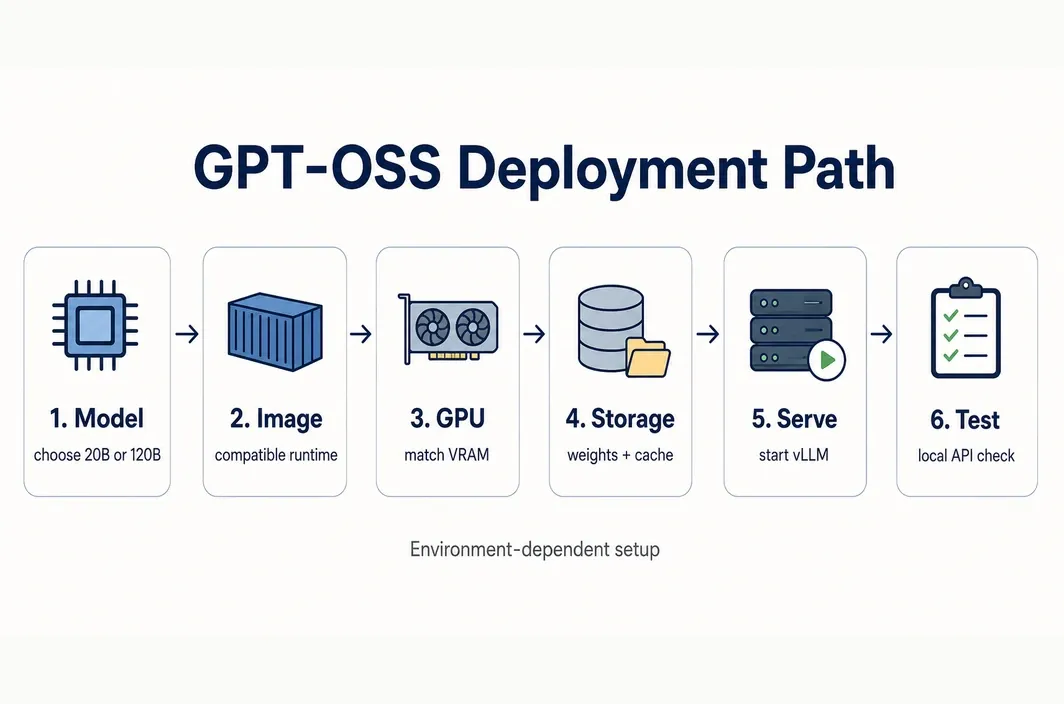
Once the model and GPU direction are clear, deploy it on RunC.ai by choosing a compatible GPU environment, selecting the GPU model and count, configuring storage, reviewing the current billing details, and launching the workload. The same broad sequence applies on many GPU clouds, but storage and stop/terminate behavior must be checked on the platform you use.
- Choose the model and serving path before provisioning. Start with
openai/gpt-oss-20boropenai/gpt-oss-120b, set an intended context and request pattern, and choose a current supported runtime. For a vLLM path, use the official guide as the authority for current prerequisites and commands. - Select a compatible image. In the RunC console, choose the VM, POD, or community image that matches the runtime you have validated. Do not assume a named GPT-OSS or vLLM template is available; confirm the live catalogue and driver/runtime details before creating the instance.
- Choose GPU model and count. Match the tier to the model and runtime, then confirm current data-center availability in the console. A 20B test and a 120B deployment should not begin from the same default GPU assumption.
- Plan storage before downloading weights. RunC documents a free 100GB container-disk allowance and optional Pod volume configuration. Place reusable model files deliberately. If a Network Volume is needed for reuse, create it in the same data center as the instance; RunC documents that it cannot mount across data centers and is not a long-term backup service.
- Choose billing and deploy. Check the current billing cycle and price before pressing Deploy. RunC’s instance guide says the instance becomes usable when its status is running; actual creation timing and inventory remain variable.
- Download the weights and start the runtime. Authenticate to the model host by its current method without placing credentials in notebooks, shell history, or source control. For a small 20B test, the current vLLM GPT-OSS guide documents the following server command:
bash vllm serve openai/gpt-oss-20b
Run it only after the selected image, driver, CUDA, vLLM version, and GPU path have been validated. For 120B, substitute the selected model only after validating that configuration against the current model-specific guidance. 7. Run a small health/API test. Wait for the server to report that startup is complete, then test it from the same VM or Pod shell. vLLM documents the OpenAI-compatible /v1/chat/completions endpoint; this minimal local-only request checks the running service without assuming any public port, proxy, or RunC network setup:
bash curl -s http://127.0.0.1:8000/v1/chat/completions \ -H 'Content-Type: application/json' \ -d '{"model":"openai/gpt-oss-20b","messages":[{"role":"user","content":"Reply with OK."}],"max_tokens":16}'
Check that the response has the expected model output before configuring any external access. Do not move real traffic until model load, response format, memory use, and access controls have been checked. 8. Stop or terminate deliberately. RunC says a stopped Pod clears its container volume but preserves /workspace; an attached Network Volume stays mounted for restart. Stopped instances can still incur disk-volume storage charges. Terminating a Pod permanently deletes associated data that is not on a Network Volume, so export or back up material that must survive.
This sequence keeps the model decision separate from the platform step. It also avoids treating a successful download as proof that the server is ready for long contexts, multiple users, or a production environment.
Which GPU tier on RunC is the best fit?
The public RunC pricing page checked on July 14, 2026 lists 1x RTX 4090 with 24GB VRAM at $0.42/hour and 1x A100 with 80GB at $1.60/hour. These are planning examples, not an inventory guarantee or a future quote. Confirm the live price, data-center availability, selected image, and all relevant storage charges immediately before launch.
| Public tier checked July 14, 2026 | First use to investigate | Why it may fit | Boundary |
|---|---|---|---|
| RTX 4090, 24GB, $0.42/hour | GPT-OSS 20B smoke test | It offers more headroom than the published 16GB MXFP4 starting figure. | Validate runtime and request headroom first; do not use it as a default claim for all 20B deployments or 120B. |
| A100, 80GB, $1.60/hour | GPT-OSS 120B capacity validation or high-memory 20B work | It matches the 80GB-class direction and vLLM documents an A100 path. | Kernel/runtime compatibility and workload headroom are still conditional. |
Start on the tier that can validate the intended workload without buying excessive headroom. An A100 can be enough when its validated runtime, memory headroom, and measured response behavior meet the target. An H100 is justified when the selected stack benefits from Hopper-class support or when a shorter measured run time offsets the higher hourly rate. Neither conclusion can be made from VRAM alone.
Cost and performance tradeoffs
Use GPU-hours as the first cost model:
GPU hourly price × running hours × GPU count + applicable storage and platform charges
At the public rates checked on July 14, 2026, ten GPU-hours would be $4.20 for one 4090, $16.00 for one A100, or $25.60 for one H100 before applicable storage or other charges. That arithmetic is useful for a test budget; it is not a claim about long-term pricing, token cost, or total deployment cost.
| Checkpoint | What to decide | Why it matters |
|---|---|---|
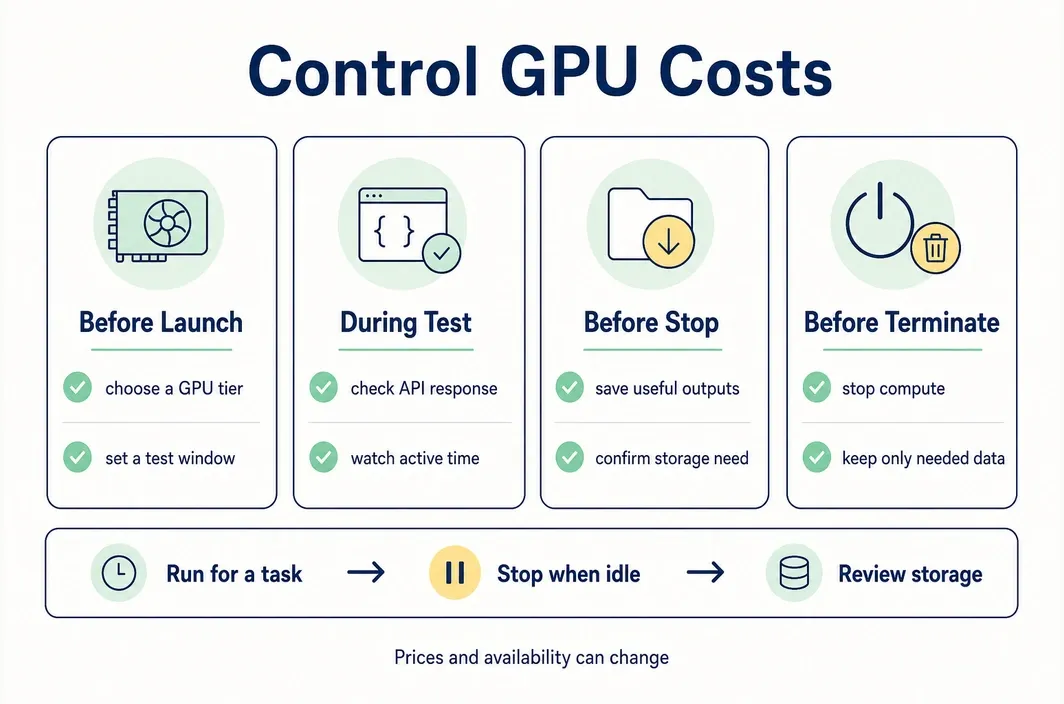
| Before launch | Model, runtime, GPU count, price date, storage location, and maximum test duration | Avoids paying for a configuration that cannot meet the intended workload. |
| During the smoke test | Model load, response correctness, memory headroom, and whether the higher tier changes the result enough to justify its rate | Separates measured benefit from theoretical GPU preference. |
| Before stopping | Which files must persist and whether disk/volume charges continue | Prevents lost weights/checkpoints or unexpected storage cost. |
| Before terminating | Export/back up data outside any durable storage plan | Pod termination can permanently remove associated data outside a Network Volume. |
H100 is overkill when a validated 20B or 120B workload meets its target on a less expensive tier and the longer run time does not create a meaningful operational cost. A100 is enough when the selected runtime works, the expected context and concurrency leave headroom, and the measured result meets the service requirement. If those conditions have not been measured, the honest answer is to run a small time-boxed test rather than publish a cost-per-token estimate.
FAQ
Can GPT-OSS 20B run on a 24GB cloud GPU?
It can be a practical tier to test because OpenAI documents roughly 16GB with MXFP4, but that is not a blanket guarantee. Validate the chosen runtime, precision, context length, and concurrency with a smoke test before committing to it.
Do I need an H100 to run GPT-OSS 120B?
Not automatically. OpenAI points to H100-class hardware for 120B in its Transformers guidance, while vLLM documents a 120B path on a single 80GB A100. The correct choice depends on the runtime and the headroom your workload needs, so verify the exact configuration rather than choosing by model name alone.
Why can a model fit in VRAM but still fail under load?
The running service also needs memory for the context and KV cache, plus runtime overhead and concurrent work. A weight-fit number is therefore a starting point, not a concurrency or maximum-context specification.
Can I reuse GPT-OSS weights after stopping a RunC Pod?
RunC documents that a stopped Pod clears its container volume but preserves /workspace; a mounted Network Volume remains mounted for restart. Keep the selected path and backup plan explicit, because Network Volume is not intended as long-term backup.
What should I check before terminating the instance?
Export or back up any data that must survive, then confirm where weights, logs, and outputs were written. RunC warns that Pod termination permanently deletes associated data that is not stored in a Network Volume.
Conclusion
For a first cloud run, choose 20B or 120B, validate its memory headroom, deploy a small server, and test the endpoint before expanding capacity. If you use RunC, check the live console and pricing page, configure storage deliberately, and stop or terminate the instance only after the files you need are safe.

Member discussion: