
Key Takeaways
- Free GPU cloud computing does exist, but it usually means limited notebook access, short sessions, capped quotas, or shared environments rather than unlimited production-ready GPU power.
- The most useful free options are good for learning, prototyping, and light experimentation, not for stable, long-running inference or repeated large training jobs.
- The real decision is not just “what is free?” but “what can I actually finish for free before the limits start slowing me down?”
- Once runtime limits, reliability issues, or repeated setup friction become the bottleneck, moving to a cost-effective platform like RunC.ai is often more practical than trying to stretch a free tier beyond its job.
Introduction
Free gpu cloud computing sounds like an easy win. In practice, it usually means one of three things: a free notebook tier, a temporary community GPU environment, or a trial-style access model that is useful for early work but not built for stable operations. Most searches here are not about hobbyist curiosity. They are about learning a framework, testing a model, running a short experiment, or deciding whether an AI workflow is worth pursuing at all.
A giant list of free resources is not enough here. What matters is understanding what free access really means, what those options are actually good for, and what signal tells you it is time to move on. Otherwise, “free” becomes a time sink instead of a savings strategy.
What “Free GPU Cloud” Usually Means in Practice
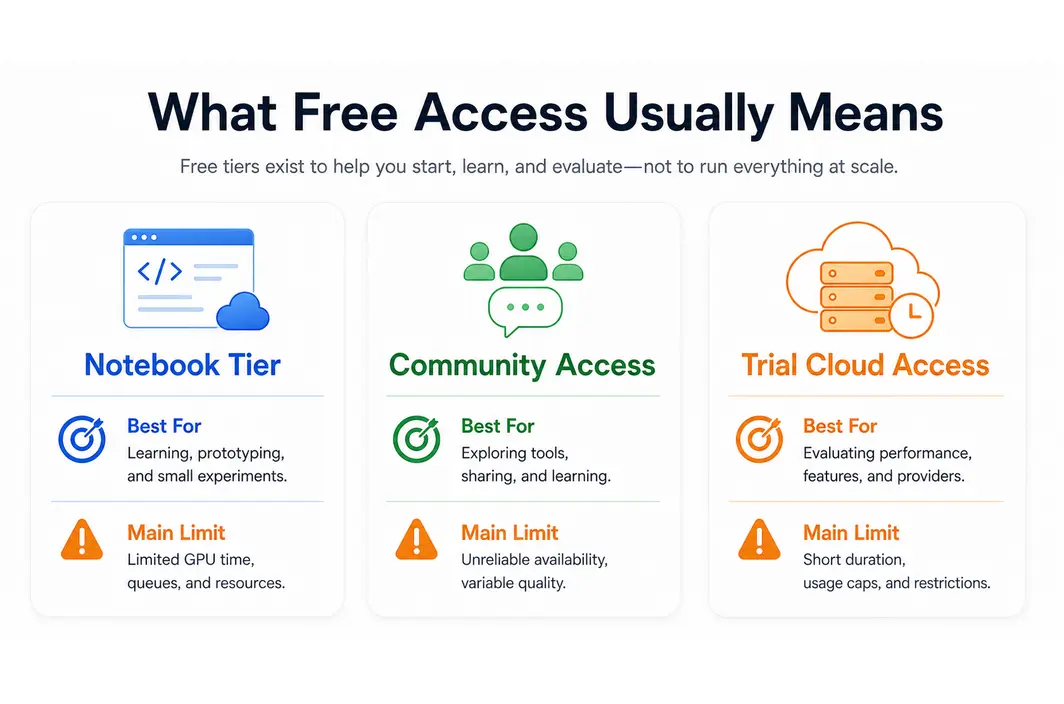
The phrase sounds broader than the reality. In most cases, free GPU cloud access means time-limited or quota-limited access to a shared compute environment. It often comes packaged as notebook infrastructure, educational tooling, or lightweight experimentation support rather than a full production GPU service.
That is not a flaw. It is the design. Free GPU tiers are usually intended to help users:
- learn and test frameworks
- run smaller model experiments
- prototype notebooks
- validate whether a workflow deserves deeper investment
The mistake is treating that entry-level access as a real long-term infrastructure solution. The second mistake is to compare free notebook environments and paid production GPU clouds as if they were solving the same job. They are not.
| Free GPU access type | Usually best for | Main limitation |
|---|---|---|
| Notebook-style free tier | Learning, demos, lightweight experimentation | Session limits and weak persistence |
| Community GPU access | Small tests and open experimentation | Shared performance and limited reliability |
| Trial-style cloud access | Short evaluation of a paid platform | Time-bound or feature-bound access |
The Real Free GPU Options Worth Trying First
Most teams start with notebook-style environments because they remove a lot of setup overhead. A free Google Colab session, Kaggle-style notebook workflow, or community-backed GPU notebook can be enough for trying a tutorial, testing a model, or validating code. That is especially useful when production serving is not the target and the immediate question is simply, “Can I get this pipeline running at all?”
The strength of these tools is convenience. They get you to a first result quickly. They usually include libraries, notebook interfaces, and low-friction onboarding. That is why they are often the right first step for students, solo developers, or teams in early exploration.
The tradeoff is that convenience has boundaries. A free tier that is perfect for one notebook demo may become frustrating if you need:
- longer runtimes
- stable artifact persistence
- predictable environment reuse
- repeated access to the same GPU tier
- production-facing serving behavior
The useful question is not whether the free option exists. It is whether the free option still helps after the first few sessions.
Where Free GPU Tiers Start Breaking Down
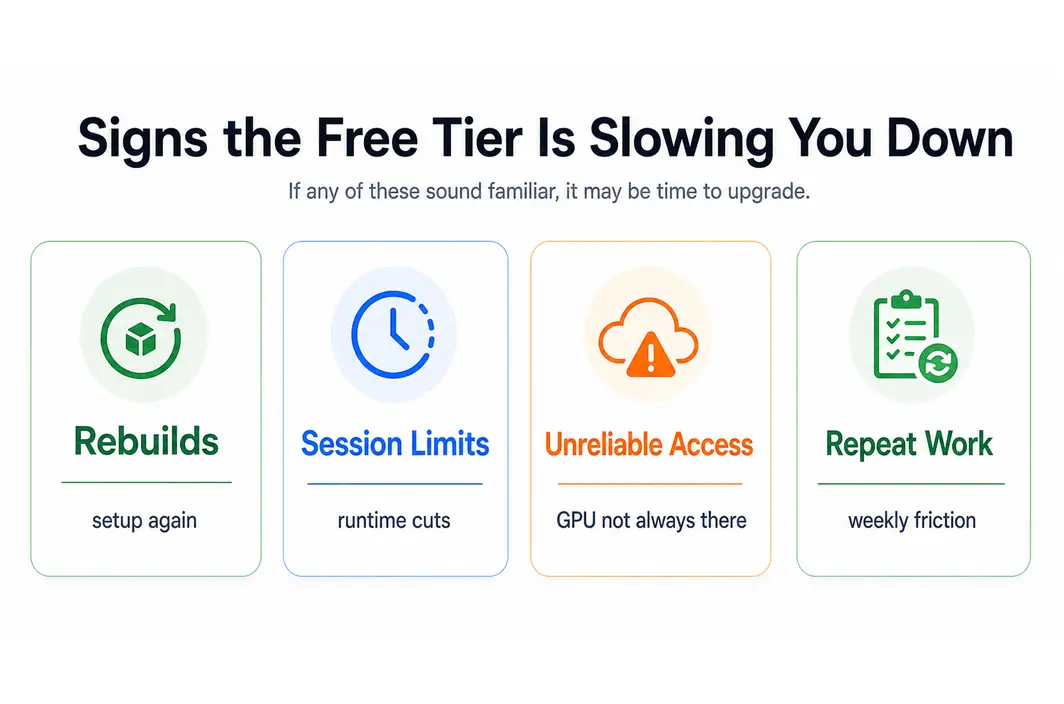
This is the section many free-GPU roundups underplay. Free GPU access starts to break down when your workflow stops being occasional and becomes repetitive. It also breaks down when the cost of restarting the environment becomes larger than the cost of paying for a stable one. Repeated setup, session resets, cold environments, limited storage, and unpredictable availability all become real workflow costs even when the usage is technically “free.”
That is the point where the next-step path matters. If you have outgrown notebook-style free access but still want cost discipline, RunC.ai becomes relevant because it gives a cleaner move from experimentation into repeatable GPU work. A team that needs persistent GPU Pods, access to practical GPU tiers like RTX 4090, or a path toward Serverless GPU serving is no longer solving the same problem as someone looking for free notebook sessions.
The reason this matters is not only speed. It is continuity. Once the workload becomes real, infrastructure that resets constantly is often more expensive in human time than affordable GPU access is in direct spend.
| Signal that free tiers are breaking down | What it usually means |
|---|---|
| You keep rebuilding the environment | Persistence now matters |
| Sessions end before work is done | Runtime ceilings are blocking progress |
| GPU access is inconsistent | Reliability matters more than “free” |
| The same workflow runs every week | A paid persistent setup may now be more efficient |
How to Move from Free Experimentation to a Low-Cost Paid GPU Cloud
The transition does not need to be dramatic. In many cases, the smartest move is simply to keep the free tier for exploration while moving repeatable or higher-stakes work into a paid environment. That keeps your cost posture disciplined without forcing the free tier to do a job it was never built for.
This is the strongest practical case for RunC.ai. The platform is not replacing the value of free experimentation. It becomes useful the moment experimentation turns into something real. If you need a stable GPU environment, access to common AI-friendly tiers, or a path from dev work to production-oriented deployment, the decision has already moved beyond “what is free?”
It also helps to avoid turning the discussion into a moral argument about paying for compute. The simpler framing is better: use free tiers when they accelerate learning, and move on when they start slowing the work down.
FAQ
What is the best free GPU cloud option for beginners?
Notebook-style options are usually the easiest place to start because they minimize setup friction. They are best for learning, small tests, and quick experiments rather than long-lived workloads.
Can I train large AI models for free in the cloud?
Usually not in a practical, repeatable way. Free access can help you test smaller workflows, but large or repeated model work usually runs into runtime, memory, or quota limits quickly.
When should I stop using free GPU tiers?
Stop relying on them when session limits, environment rebuilds, or inconsistent access become the main thing slowing you down. That is usually the point where low-cost paid GPU access becomes more efficient.
Why would I move from a free tier to RunC.ai?
Because the problem changes. Once you need persistent environments, access to RTX 4090 or larger GPU tiers, or a path into real deployment workflows, RunC.ai is solving the next-stage problem more directly than a free notebook tier can.
Conclusion
Free GPU cloud computing is useful, but only when you define its job correctly. It is excellent for learning, prototyping, and lightweight experimentation. It becomes much less useful when the workflow turns into something repeatable, time-sensitive, or production-facing. Use free access to get to the first result quickly. Then, when the real work begins, move to a platform like RunC.ai that gives you the stability and GPU access the next stage actually requires.

Member discussion: