
Key Takeaways
- RTX 4090 is a practical low-cost starting point for a verified Wan 2.1 1.3B or light workflow that fits in 24GB. Wan’s official T2V-1.3B example lists 8.19GB VRAM and cites a five-second 480P generation on a 4090 under specific conditions.
- A100 80GB is the capacity-first step when 24GB is repeatedly the limiting factor. It does not guarantee that every 14B or 720P ComfyUI graph will fit without tuning.
- Choose H100 only when a matched test shows that its faster completion time is worth the higher hourly rate.
- For the best cloud GPU for Wan 2.1, start with the model, resolution, graph, precision, and generation frequency—not the newest GPU name.
Introduction
This article is not a ranking of every cloud platform or GPU available. It compares a practical three-GPU selection path for Wan 2.1—24GB RTX 4090, 80GB A100, and 80GB H100—so you can match capacity and throughput to a specific workflow. The best cloud GPU for Wan 2.1 is not automatically H100. A 24GB RTX 4090 can be enough for a bounded 1.3B/480P test, while a heavier 14B, 720P, long-clip, or repeat-generation workflow may need much more headroom. The decision is primarily about VRAM and workflow stability; speed matters after the target job fits.
The most useful sequence is simple: identify the Wan variant and ComfyUI graph, confirm peak memory on a representative run, then choose the lowest GPU tier that completes the work reliably. That avoids paying for H100 capacity when A100 is enough, or repeatedly fighting 24GB limits when the workload has clearly outgrown them.
What WAN 2.1 actually needs from a GPU
Wan 2.1 is a model family, not one fixed hardware requirement. A GPU choice changes with the 1.3B or 14B model, text-to-video or image-to-video path, 480P or 720P target, frame count, precision, and any offload settings in the graph.
The official Wan repository gives a useful small-model anchor: T2V-1.3B is listed at 8.19GB VRAM, and its documented RTX 4090 example generates a five-second 480P clip in about four minutes without quantization. That is evidence that a consumer GPU can run a specific light path—not evidence that every Wan 2.1 workflow fits on 24GB. Wan2.1 GitHub repository
Before selecting a cloud GPU, write down the workload you actually need to complete:
| Workload input | Why it changes the GPU decision |
|---|---|
| Wan variant and task | 1.3B versus 14B, and T2V versus I2V, can change the memory profile substantially. |
| Resolution and frame count | More pixels or more frames can raise memory pressure and lengthen each generation. |
| Precision and assets | ComfyUI provides FP8 alternatives when memory is insufficient; those are tradeoffs, not free capacity. |
| Offload configuration | Wan documents model offload and CPU T5 options for OOM mitigation; they can lower GPU memory pressure while changing runtime behavior. |
| Generation frequency | A one-off creative test and a repeated production queue have different tolerance for waiting and retrying. |
For 14B, do not begin with an assumed universal VRAM minimum. The official project’s single-GPU 14B testing uses model offload, which is a reminder that practical fit depends on the exact implementation. Profile the intended ComfyUI workflow before renting capacity for a long session.
Why consumer GPUs hit the wall faster than people expect
A consumer GPU can launch a workflow without being a comfortable production choice for it. The difference usually appears as repeated out-of-memory failures, aggressive offloading, reduced-precision substitutions, long generation waits, or a graph that leaves too little VRAM margin for the next change.
ComfyUI’s official Wan examples make that distinction clear. They use 16-bit model files, offer FP8 files for cases with insufficient memory, and describe the 720P model as suitable when the hardware and patience are available. Those options are valuable; they also mean that a result achieved with one set of assets or settings should not be generalized to every Wan workflow. ComfyUI Wan examples
Use the following signals to decide whether to optimize first or move to a larger memory tier:
- Optimize first when the task is an occasional 1.3B or 480P-style run, the graph nearly fits, and FP8 or documented offload settings still meet the required turnaround time.
- Move up in VRAM when OOM is reproducible on the target graph, lower-memory settings compromise the intended workflow, or repeated retries cost more time than a larger GPU session.
- Separate capacity from speed once the job fits. More VRAM solves a fit problem; a faster GPU only improves the decision if it reduces completion time enough to matter for the schedule or queue.
An RTX 4090 is therefore not a failed choice just because 80GB hardware exists. It is the right choice when 24GB matches the measured job. The mistake is treating a successful light test as proof that a heavier workflow will remain stable as resolution, frame count, or batch frequency grows.
RTX 4090 vs A100 vs H100 for WAN 2.1
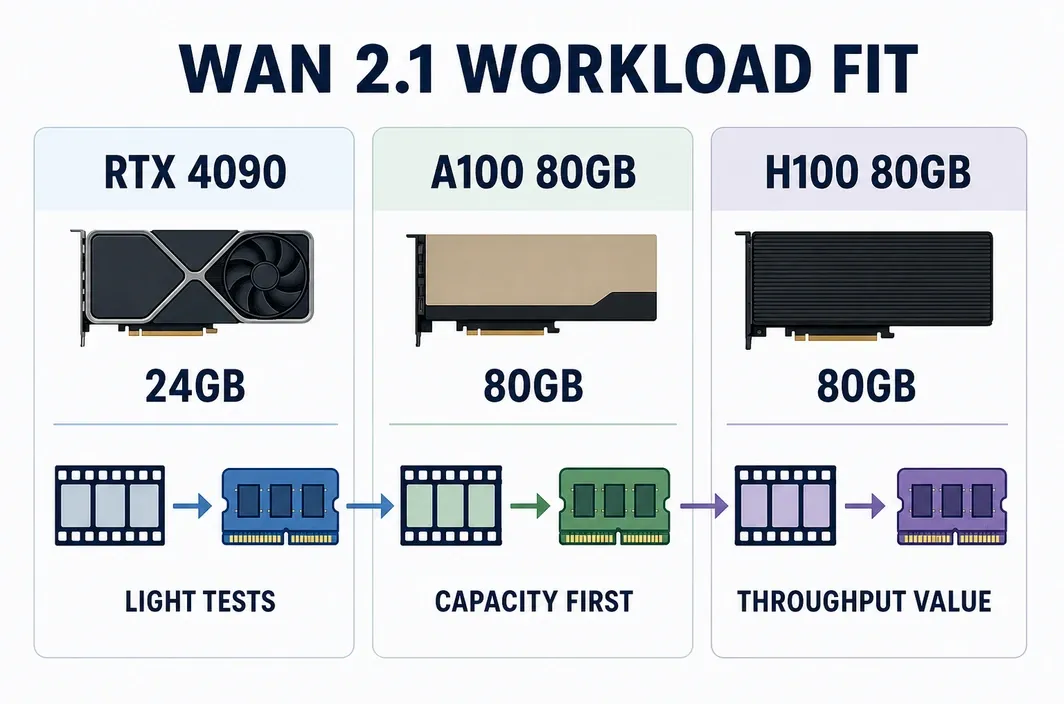
For Wan 2.1, start the comparison with memory capacity.
| GPU tier | Listed VRAM on RunC, checked July 14, 2026 | Best workload fit | Decision boundary |
|---|---|---|---|
| RTX 4090 | 24GB | Verified 1.3B or light, interactive work that fits with acceptable runtime | Do not assume it covers every 14B, 720P, or repeated-batch graph. |
| A100 | 80GB | Capacity-first upgrade when 24GB is the measured blocker | More VRAM does not establish a universal Wan configuration or a specific clip-per-hour result. |
| H100 | 80GB | Repeated work where a matched test proves that shorter completion time justifies the higher rate | Do not select it merely because it is newer; it does not add listed VRAM over A100. |
The practical recommendation is usually: test the smallest representative job on 4090; move to A100 when memory headroom is the failure point; test H100 only after the same workflow fits in 80GB and turnaround time has a real operating value. Benchmark claims should always name the model, resolution, frames, precision, graph, drivers, and test date. Without those conditions, a speed figure is not a reliable buying signal.
Best cloud setup for creators vs teams
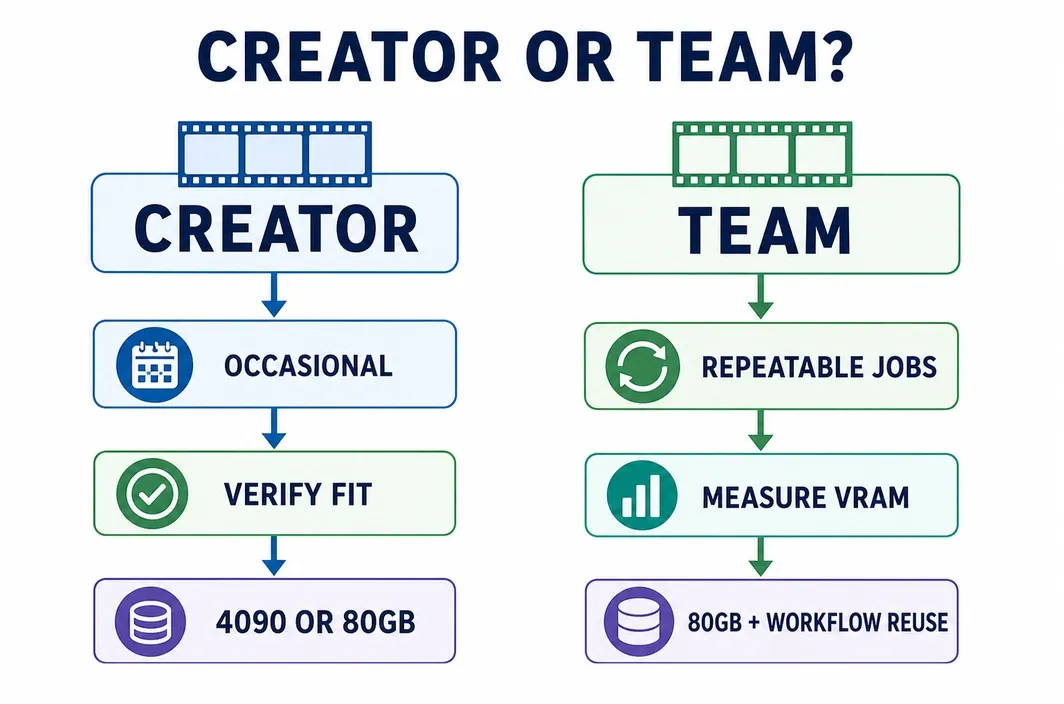
Creators and teams can use the same models but have different failure costs. A solo creator may accept a longer run or occasional offload to keep costs down. A team generating repeated clips needs a reproducible setup, known capacity margin, and a way to prevent every worker from rebuilding the same environment or downloading the same assets.
| Situation | First choice | Why | Check before committing budget |
|---|---|---|---|
| Learning Wan or making occasional short clips with a verified light graph | RTX 4090 | Lowest listed hourly tier in the July 14 snapshot, with 24GB for a bounded path | Peak VRAM, graph settings, and accepted wait time. |
| Target job repeatedly fails because of 24GB capacity | A100 80GB | Adds memory headroom before paying for throughput that may not be needed | Exact Wan variant, resolution, precision, offload, and total run time. |
| Repeated jobs already fit in 80GB but delivery time is the constraint | Compare H100 and A100 on the same job | Measures cost per completed job instead of assuming the fastest label wins | Matched runtime, current price, and queue volume. |
| Workflow needs a topology or provider feature not verified here | Pause and scope the requirement | A GPU name alone cannot validate a distributed or specialized deployment path | Exact graph, GPU count, region, and product support. |
For a creator, the threshold is often whether a 4090 run is stable enough for the desired output and schedule. For a team, the threshold is whether a session can complete a repeatable job without memory-related retries and without leaving expensive compute running while assets are being reorganized. Neither case calls for H100 by default.
Running WAN 2.1 on RunC
Once the target workflow has a measured memory requirement, RunC.ai can be used as a Pod-based path from a light 4090 test to an 80GB session. Use this operating sequence:
- Reproduce the intended Wan/ComfyUI graph on a small representative job and record peak VRAM, runtime, precision, resolution, and frames.
- Choose a GPU Pod tier from that evidence: 4090 for a confirmed light fit, A100 when 24GB capacity is the blocker.
- Attach a Network Volume when model files, source assets, or outputs must be reused across Pod sessions. RunC documents Network Volumes as shared storage for GPU container instances.
- Run a validation job before a longer queue. Treat any template or workflow as unverified until it has been checked for the exact Wan version and ComfyUI graph.
- Stop or remove GPU compute when the run is complete. Keep backups outside the volume strategy: Network Volumes are POD-only, data-center-bound, and documented as unsuitable for long-term backup. RunC Network Volume guide
Buyer’s shortcut
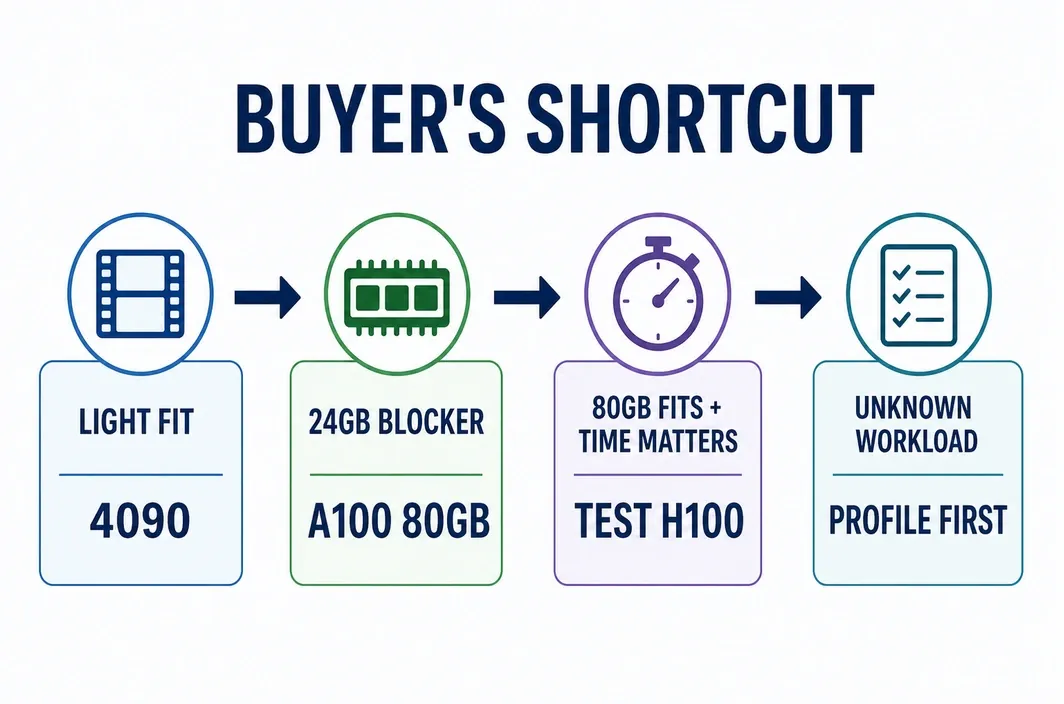
Use this as the final decision rule for the best cloud GPU for Wan 2.1.
| If your workload looks like this | Choose | Reason | Keep this caveat |
|---|---|---|---|
| A verified small or 1.3B/480P-style workflow, occasional use, and it fits in 24GB | RTX 4090 | It is the lowest-cost listed RunC tier and the official Wan project demonstrates a constrained 4090 path | Your ComfyUI graph may use more memory than the reference example. |
| The intended graph is repeatedly blocked by 24GB | A100 80GB | It is the practical capacity upgrade without assuming H100 is required | Verify the exact 14B/720P configuration; 80GB is not a universal guarantee. |
| The work fits in 80GB and repeated turnaround time has measurable value | H100 80GB after an A/B test | The higher hourly rate can be justified by completed-job time, not by a generic performance claim | Compare the same graph, price date, and runtime before committing. |
| Model, graph, or infrastructure requirement is still unknown | Profile first | A GPU purchase made without those inputs is guesswork | Do not use a generic VRAM number as a substitute for testing. |
FAQ
Can an RTX 4090 run Wan 2.1?
Yes, for some paths. Wan’s official T2V-1.3B reference lists 8.19GB VRAM and documents a constrained 4090/480P example. That does not establish 24GB as sufficient for every 14B, 720P, image-to-video, or ComfyUI graph.
Does Wan 2.1 14B always need an H100?
No. H100 is not the only 80GB choice in this comparison, and its higher price needs a throughput justification. Determine whether the target graph fits, whether offload or lower-memory assets are acceptable, and whether A100 completion time meets the schedule.
Is A100 or H100 better for Wan 2.1?
For capacity, both RunC public rows show 80GB. Start with A100 when 80GB headroom is the main need; choose H100 only when a matched test proves that faster completion reduces the cost or delay of repeated work.
Can ComfyUI reduce Wan memory use?
ComfyUI provides FP8 alternatives for users with insufficient memory, while Wan documents model offload and CPU T5 options. These measures can make some jobs workable, but they should be evaluated against the required runtime and output workflow rather than treated as universal fixes.
Does RunC provide a Wan-specific one-click template?
That is not verified in the current public sources used here. Confirm the exact Wan version, ComfyUI workflow, GPU stock, and region in the current product path before relying on a prebuilt environment.
Conclusion
Choose the smallest GPU that completes a representative Wan job reliably, then pay for more capacity or throughput only when the evidence supports it. A 4090 remains a sensible light-workflow option, A100 is the 80GB capacity step, and H100 earns its place when measured turnaround matters. When a cloud Pod is the right route, verify the current RunC price and the exact workflow before starting a longer queue.

Member discussion: